Create A Simple DSD
Overview
Data Structure Definitions (DSDs) sit at the heart of an SDMX data model. A DSD defines the structure of a dataset in terms of its components, such as dimensions, attributes and measures.
If you are familiar with SQL, a DSD is broadly similar to a CREATE TABLE statement: it defines the fields that can appear in a dataset and the type of values that those fields can hold.
In SDMX, however, a DSD does more than a SQL table definition:
- each component has a specific role: dimension, time dimension, measure or attribute;
- each component is linked to a separately defined Concept; and
- each attribute is attached at a defined level in the dataset, such as dataset, series or observation.
A Concept represents a statistical variable together with its meaning and value domain. Defining Concepts as separate artefacts makes them reusable across multiple structures. This is especially useful for common variables such as reference area or unit of measure, and it helps promote consistency and comparability across datasets.
A Concept's value domain may be defined either by a basic type for continuous values, such as String, Integer or Decimal, or by an enumeration for coded values. In SDMX, enumerations are typically defined using Codelists. Like Concepts, Codelists are separate reusable artefacts.
Creating a DSD in FMR therefore consists mainly of selecting the right Concepts, assigning each one the correct role, and defining how each component is represented.
The following class diagram illustrates how a DSD's information model is arranged:
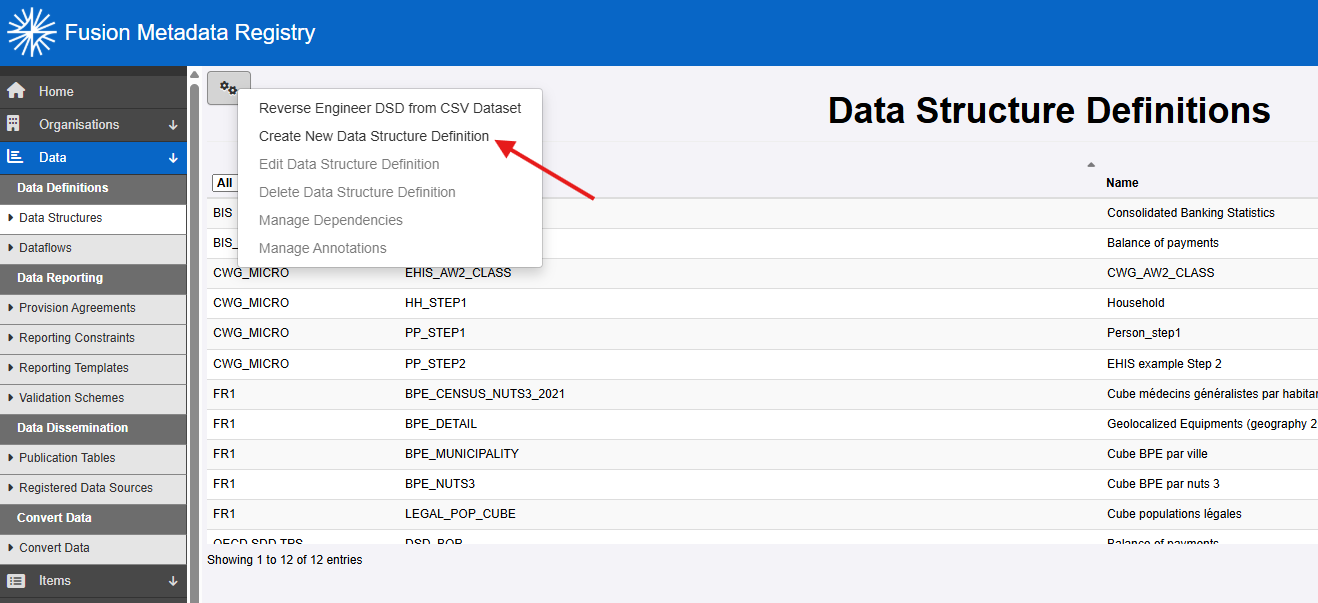
Log in and locate the DSD maintenance page
Log in as a user with Agency or Administrator privileges. Open the Data Structure Definitions page and choose Create New Data Structure Definition from the maintenance menu.
Define the DSD's basic properties
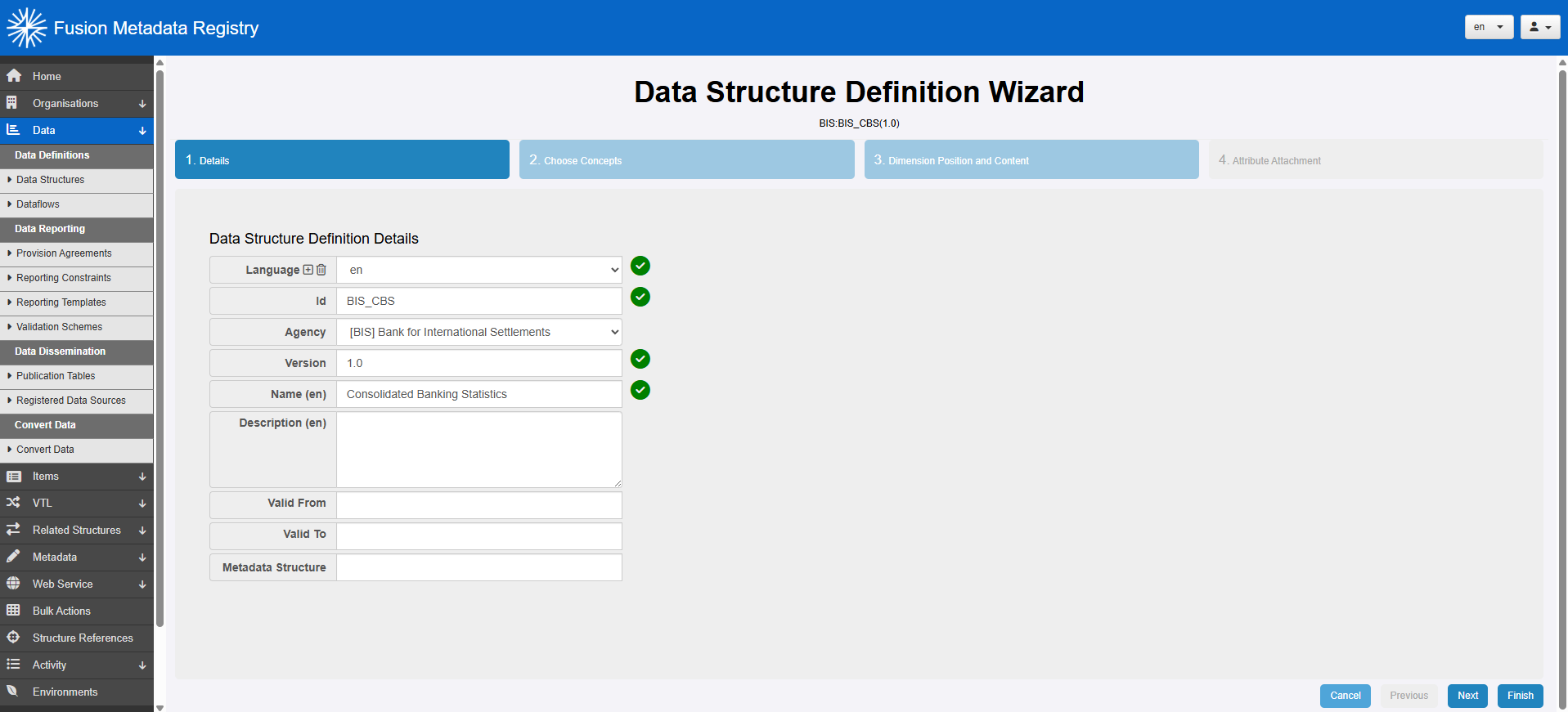
The first step is to enter the basic properties that apply to all maintainable artefacts, such as the owning agency, identifier and version.
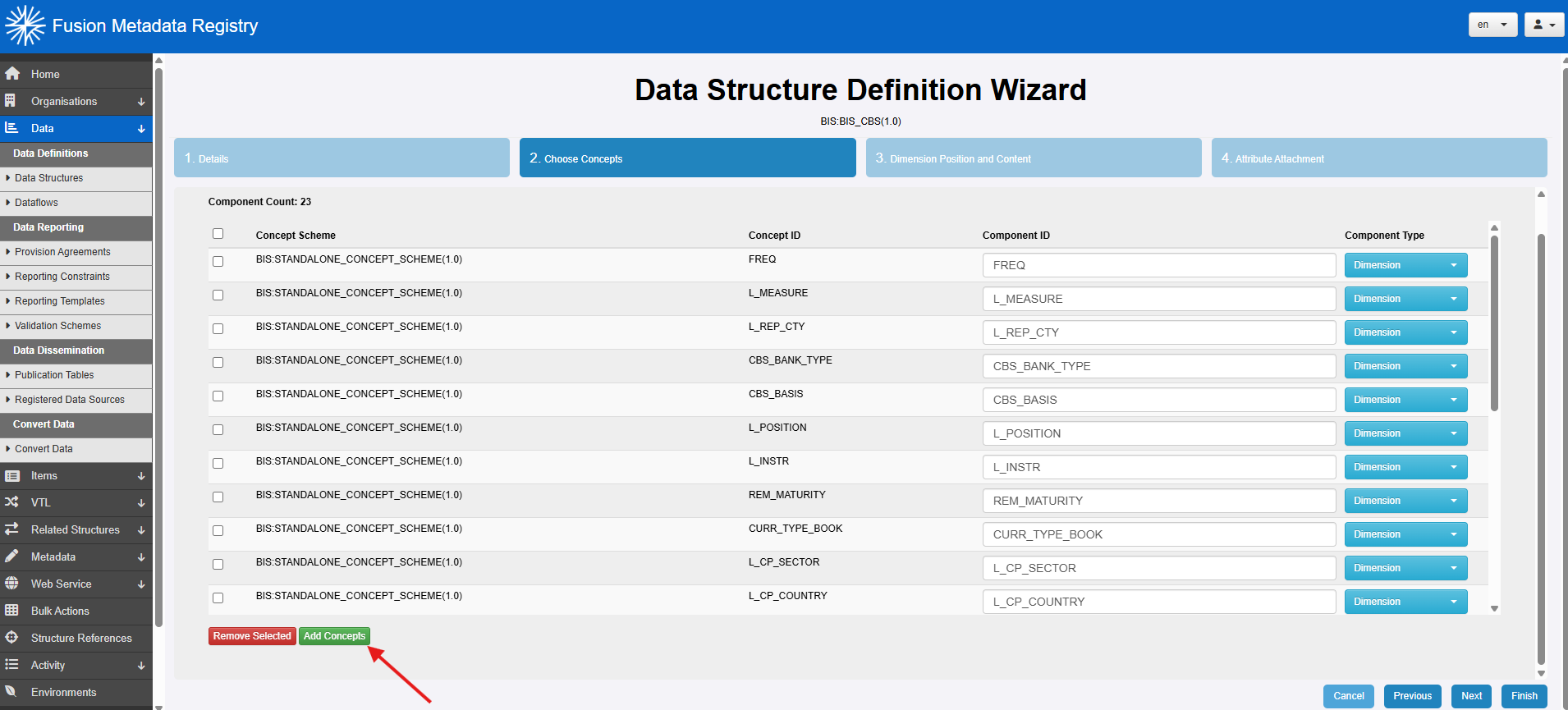
Choose concepts
Next, define the DSD's components by adding the Concepts you want to use and assigning each one a role: Dimension, Time Dimension, Measure or Attribute.
At this point, focus on the logical structure of the dataset:
- dimensions identify the series or observations;
- the time dimension identifies the reporting period;
- the measure holds the reported value; and
- attributes provide additional metadata such as unit of measure or the observation confidentiality.
Dimension position and content
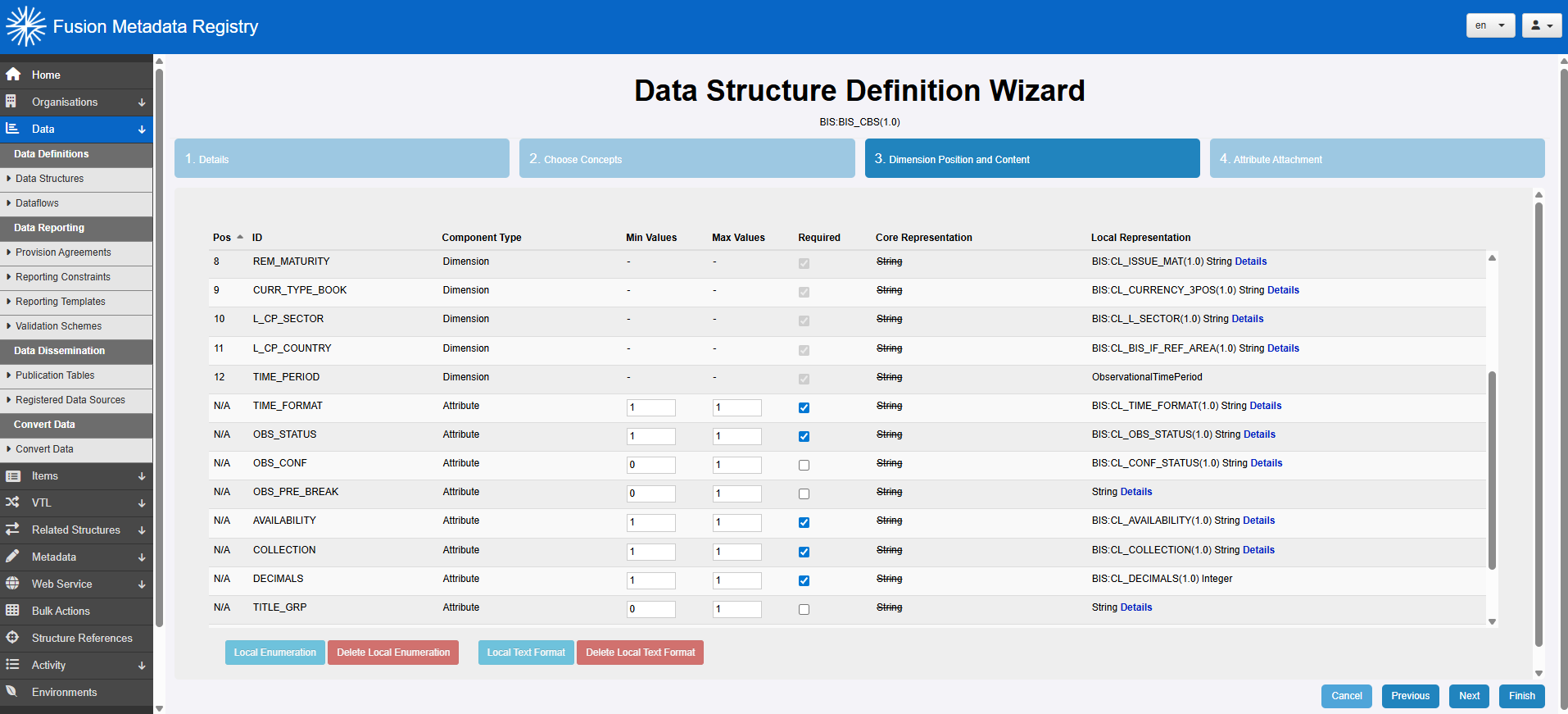
The order of the dimensions is important because it determines the syntax of the dataset's series keys. Move the dimensions into the required order by dragging the position number.
Dimensions are mandatory, but attributes may be optional. Use the Required checkboxes to indicate which attributes must always be supplied.
You must also define the representation, or value domain, for each component. By default, a component uses the Concept's representation, known as the core representation, but this can be overridden with a local representation where needed.
In the example below, the Concepts' default String representation has been replaced with more specific local representations.
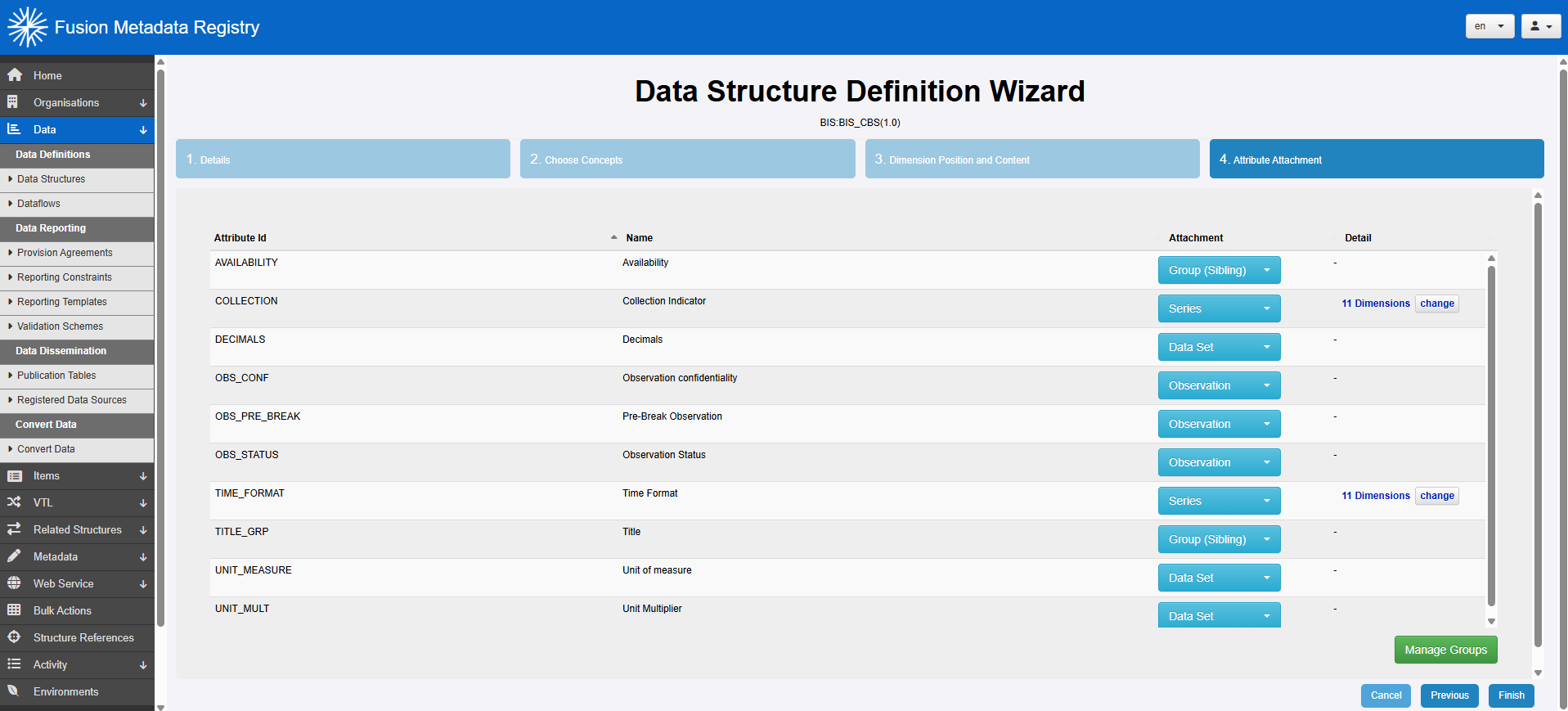
Attribute attachment
The final step is to specify the level at which each attribute attaches: Dataset, Series, Group or Observation.
Group was deprecated in SDMX 3.0, but FMR still supports it for backward compatibility with SDMX 2.1. When modelling for SDMX 3.0 or later, you would usually achieve the same effect by attaching series-level attributes to a subset of dimensions rather than defining a named group.
Commit the changes
Select Finish to save the DSD.