Manage Dependencies
Overview
SDMX Structures may reference other SDMX Structures in the FMR to form a graph of dependencies. An example is an SDMX Concept which may reference a SDMX Codelist to define its default Representation. Structures such as Data Structure Definitions can reference a large number of structures, if the Dimensionality is high. The FMR provides a dependency management interface to support bulk changes to dependencies for a specific structure.
Open Dependency Management
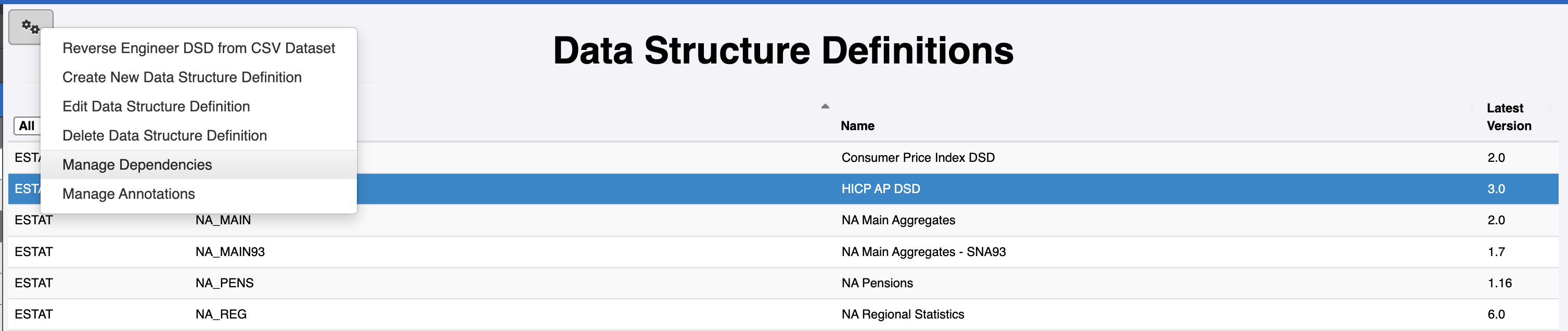
To open the dependency management screen, ensure you are logged in as a user with either Admin or Agency permissions. Navigate to the structure and click on the 'Cogs' icon in the top left of the page. Click Manage Dependencies
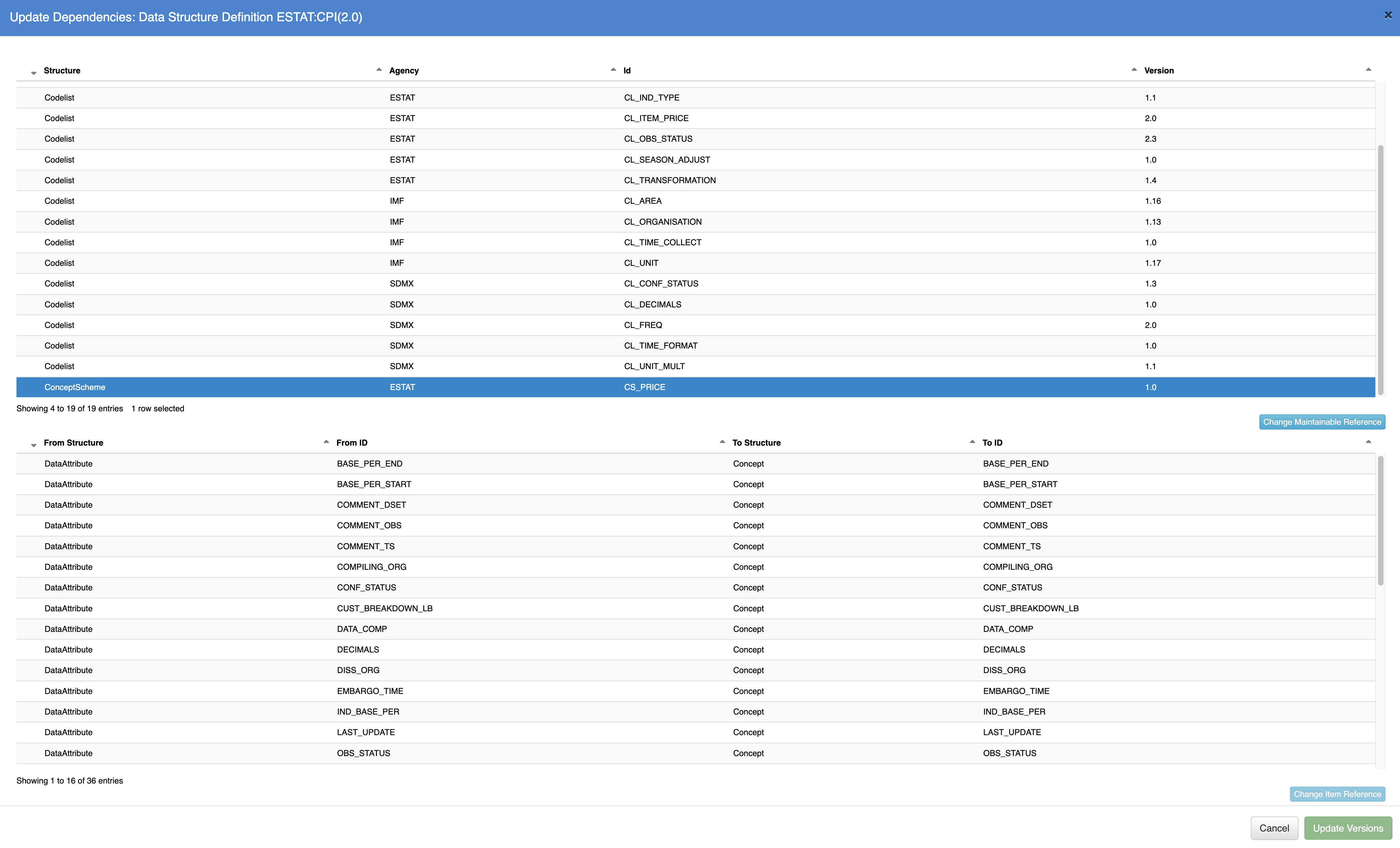
Once this menu item is clicked, the FMR will open the dependency management screen, which will show all the dependencies for the selected structure. The depedencies are grouped by Maintainable structure; for example, a Data Structure Definition may reference Concepts which all belong to the same Concept Scheme, in this example the grouping is by Concept Scheme, which, when clicked will display all the references that belong target that structure.
Single Update
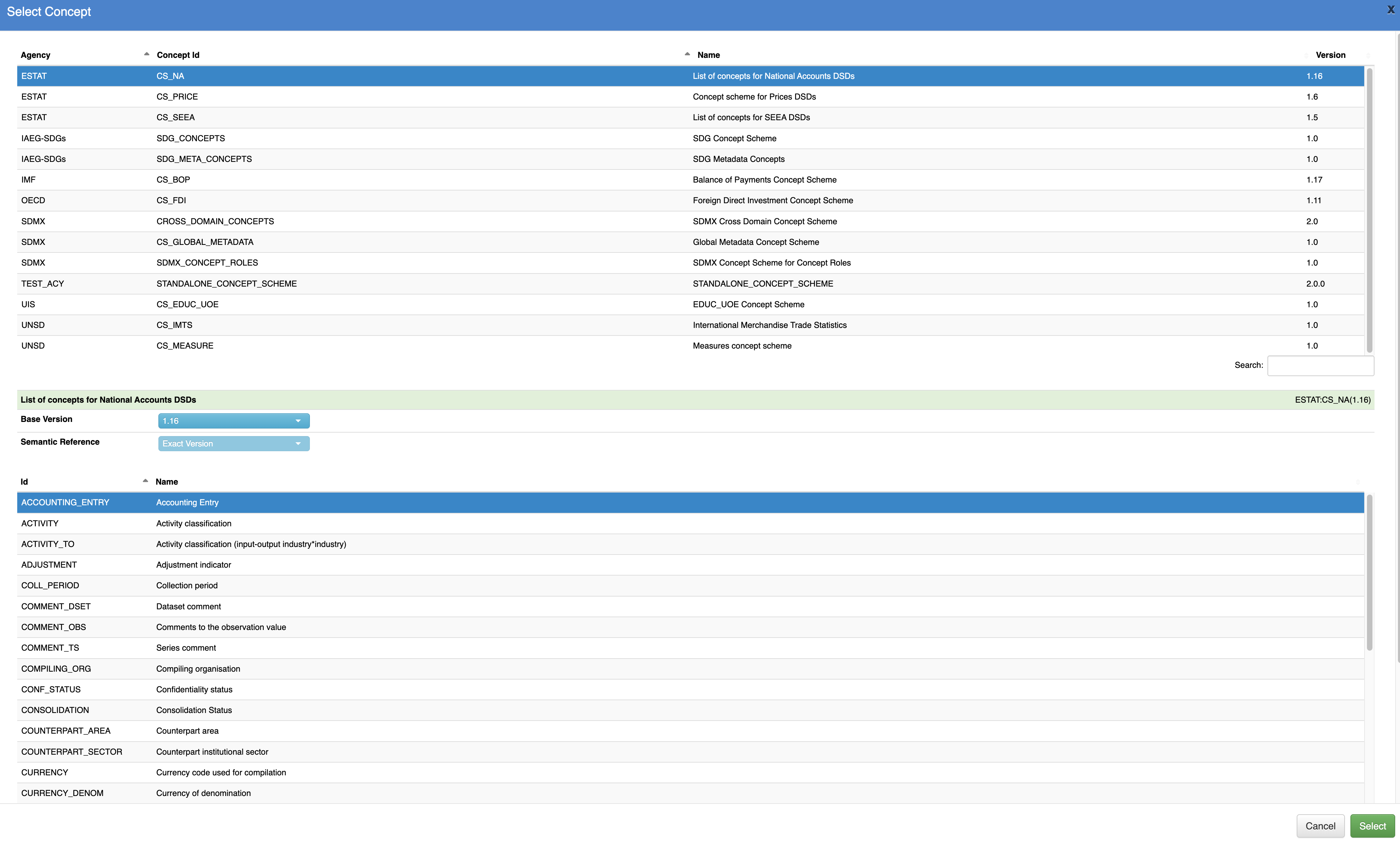
To update a single reference, select the maintainable structure in the top table, followed by the reference to update in the lower table. Click on the Change Item Reference button to open the window which allows a new referenced structure to be selected.
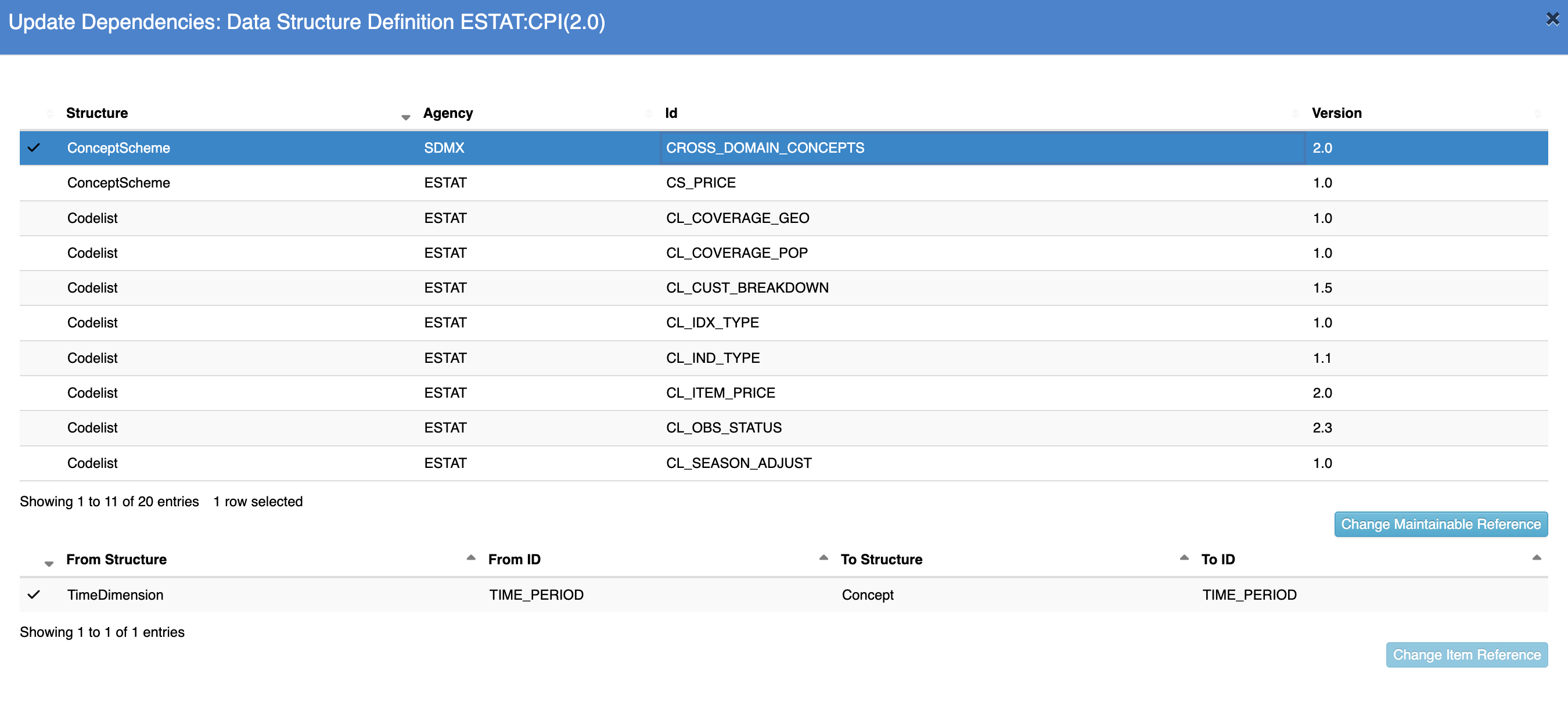
The dependency management tables will be update to reflect the modified reference, this may result in a new Maintainable structure in the top table, if a reference was relocated to a new maintainable. Modified structures are indicated with a tick icon. When a reference has been modified, the Update Versions button will be enabled.
Bulk Update
If a structure references multiple structures for the same Maintainable structure, e.g. multiple Concepts in the same Concept Scheme, then a bulk update can be performed by updating the Concept Scheme reference. To perform a bulk update, select the Maintainable structure in the top table, and click the Change Maintainable Reference button, this will open a window enabling the selection of a different structure in the system.
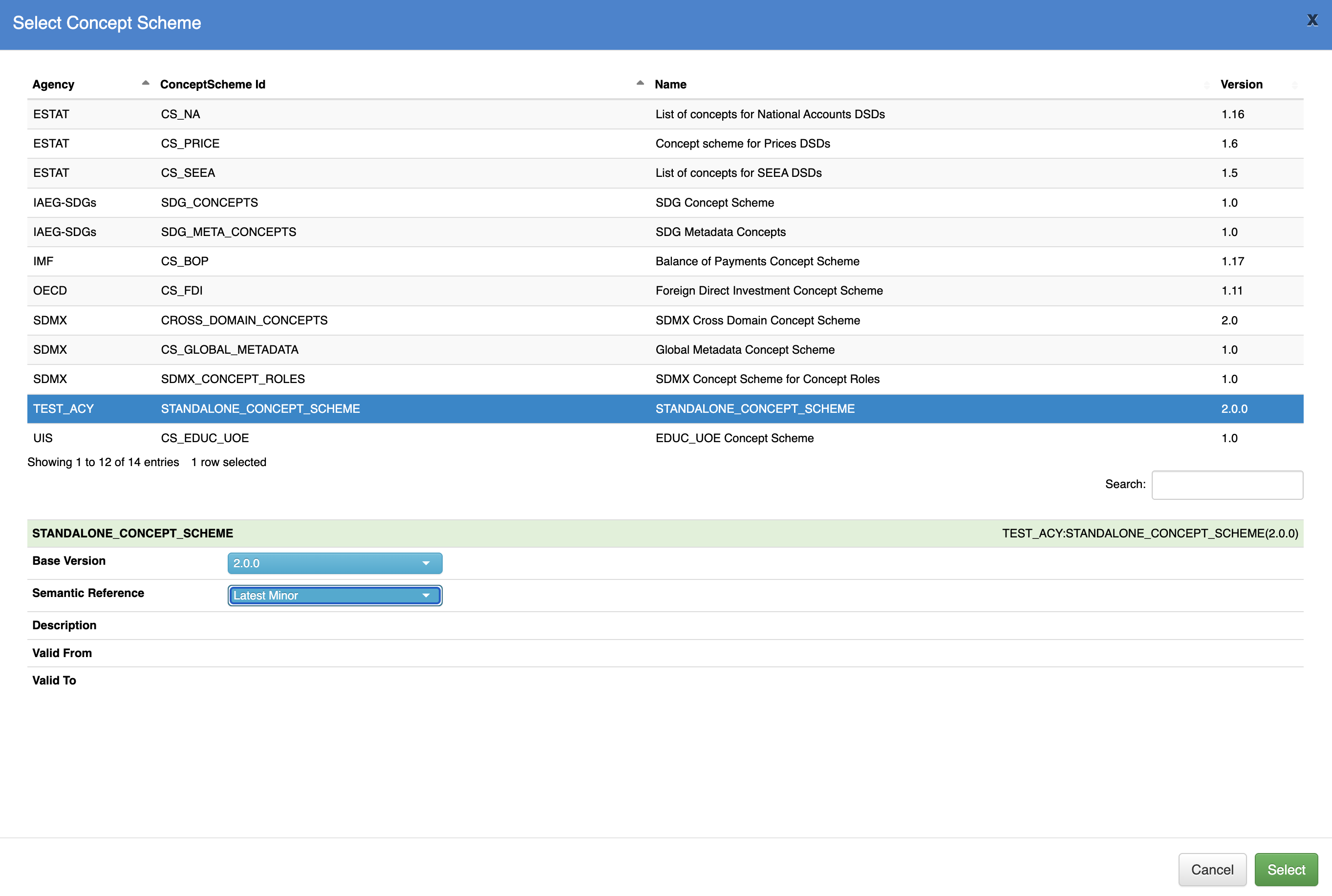
It is possible to change the structure being referenced or the version of the current referenced structure.
It is important to note that a bulk update may result in one or more items being unresolvable, this can happen if the new target structure does not contain all the structures that are being referenced; for example, a new Concept Scheme may not contain all the Concepts that are in the original references. If there are broken references, the dependency table will be updated with an icon to indicate broken references.
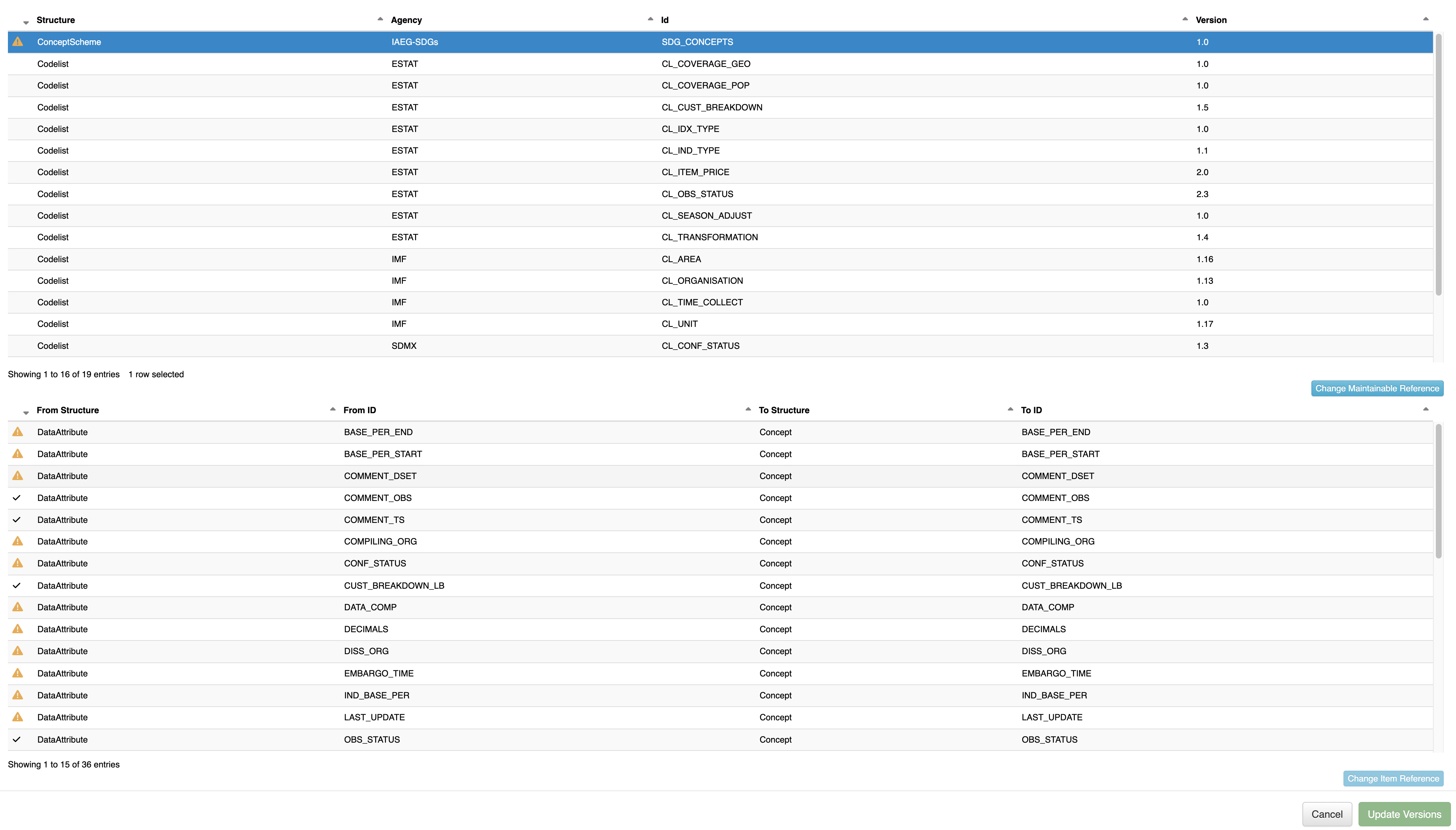
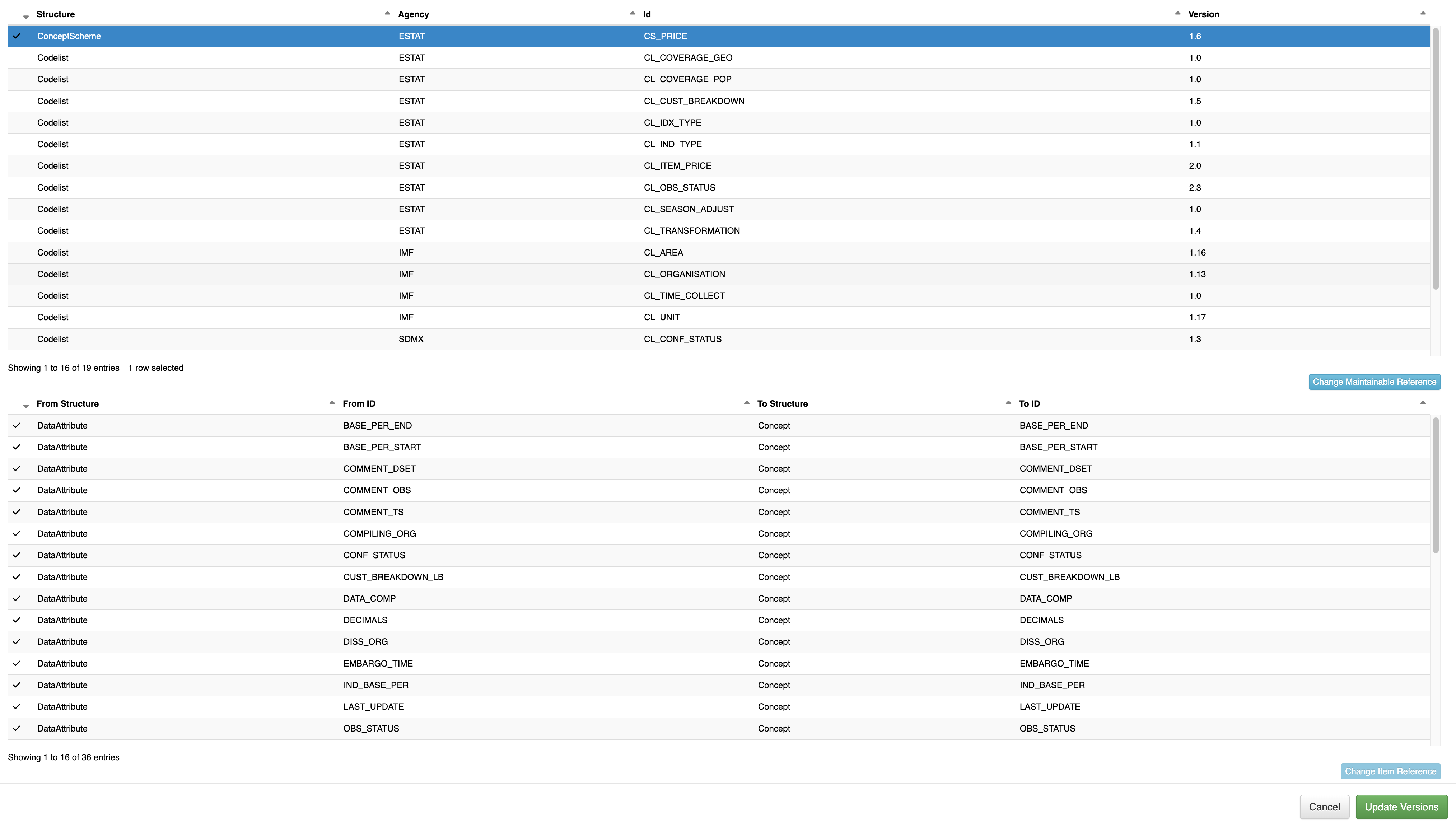
Invalid changes are indicated by an exclamation triangle icon; valid changes are indicated by a tick icon. If there are invalid references, they must be fixed before the update can be performed. Once all the updates are valid, the modified maintainable structure and its maintainable references will all show a valid tick icon.
Save Updates
The updates performed in the user interface are updated on the server when the Update Versions button is clicked. If the window is closed without clicking this button, the changes will be discarded. The Update Versions button is only enabled if there is at least one change to the references, and all changes are marked as valid, if this is not the case the Update Versions button will be disabled.
Once the updates have been saved, the manage dependency modal will close automatically.