Create Structure
To create a new structure, you must be logged in as a user with either Admin or Agency permissions.
Navigate to the structure type using the left hand menu, for example to create a new Codelist, click on the Items menu followed by the Codelist Submenu.
If logged in, the page will show a Cogs icon on the top left of the Codelist table. This menu button contains actions that can only be performed by Admin or Agency users, such as the creation and deletion of structures.
Click on the Create New [structure] button.

The FMR will open up a 3 or 4 step wizard, depending on the structure type, to assist in the structure creation process.
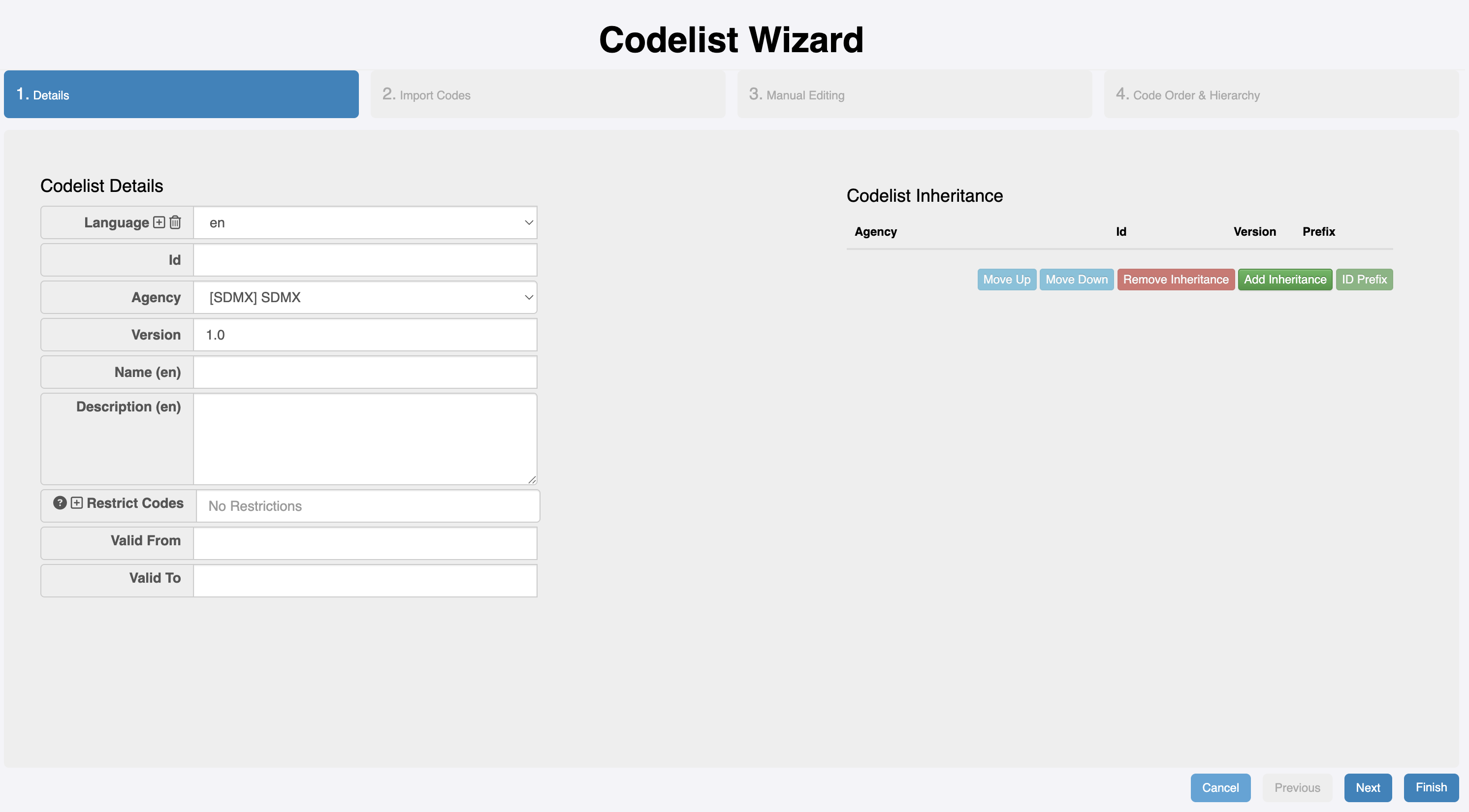
The first step of the Wizard is the same for all structure types; it includes the selection of the Agency who is responsible for the ownership and manintenance of the structure, the Identity of the structure, and the version. For semantically versioned structures, a three-part version syntax should be used, e.g. 1.0.0; for non-semantically versioned structures, a two-part version syntax must be used, e.g. 1.0.
The remainder of the wizard's steps are structure dependent.