View Structure
To view structures, navigate to the structure page using the left hand menu. For example to view a Dataflow select to the Data menu and Dataflows sub-menu. The resulting page will show the latest version of all the Dataflows in the FMR. Select a single Dataflow by clicking on a row in the table. The details of the selected structue will be displayed below the table.
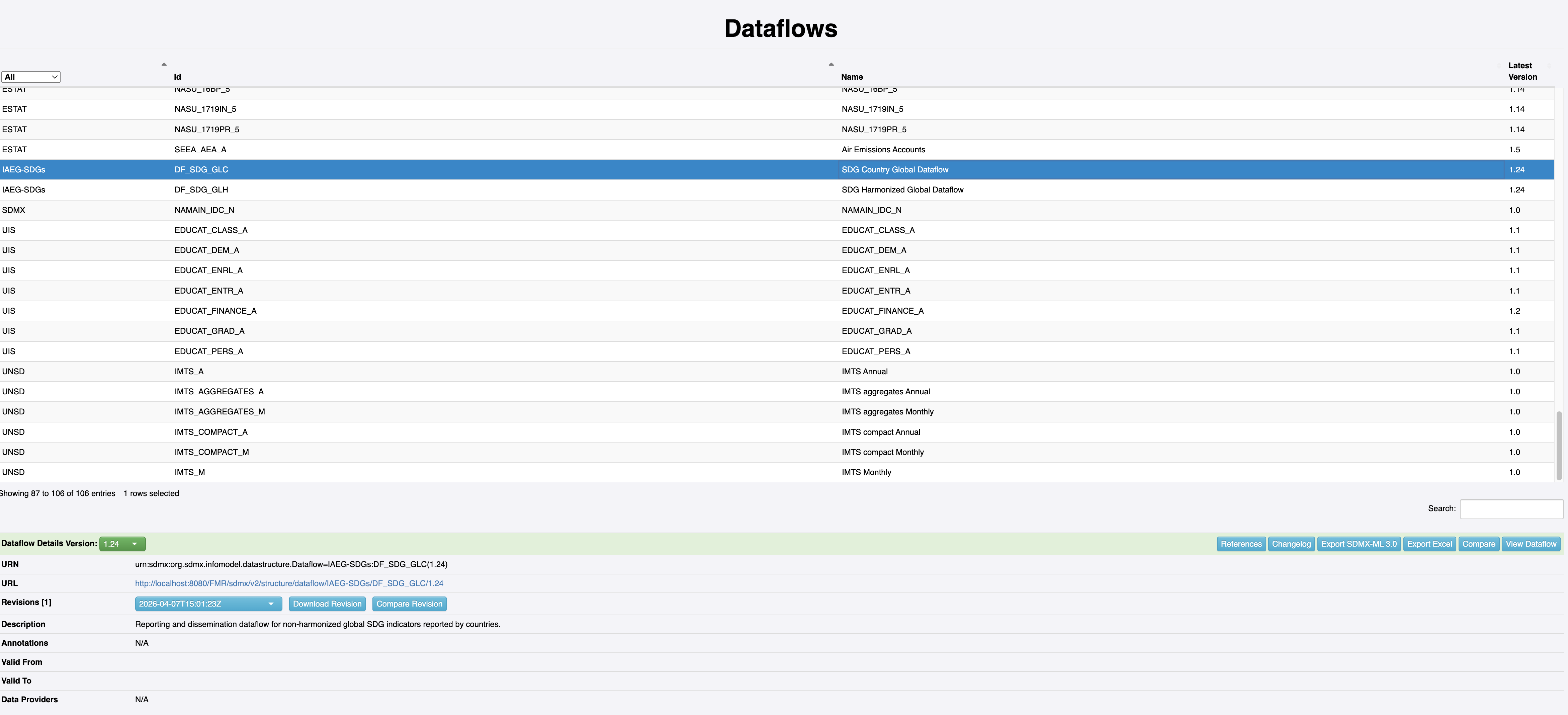
Below the table of structures is a green action bar, this contains actions that can be selected for the currently selected structure; this includes changing the version of the currently selected structure. The version of the structure defaults to the latest version, use the version drop down selector to change the version of the selected structure. If the version is changed, the details section will be updated to reflect the change, and all the buttons on the action bar will operate on the selected version.
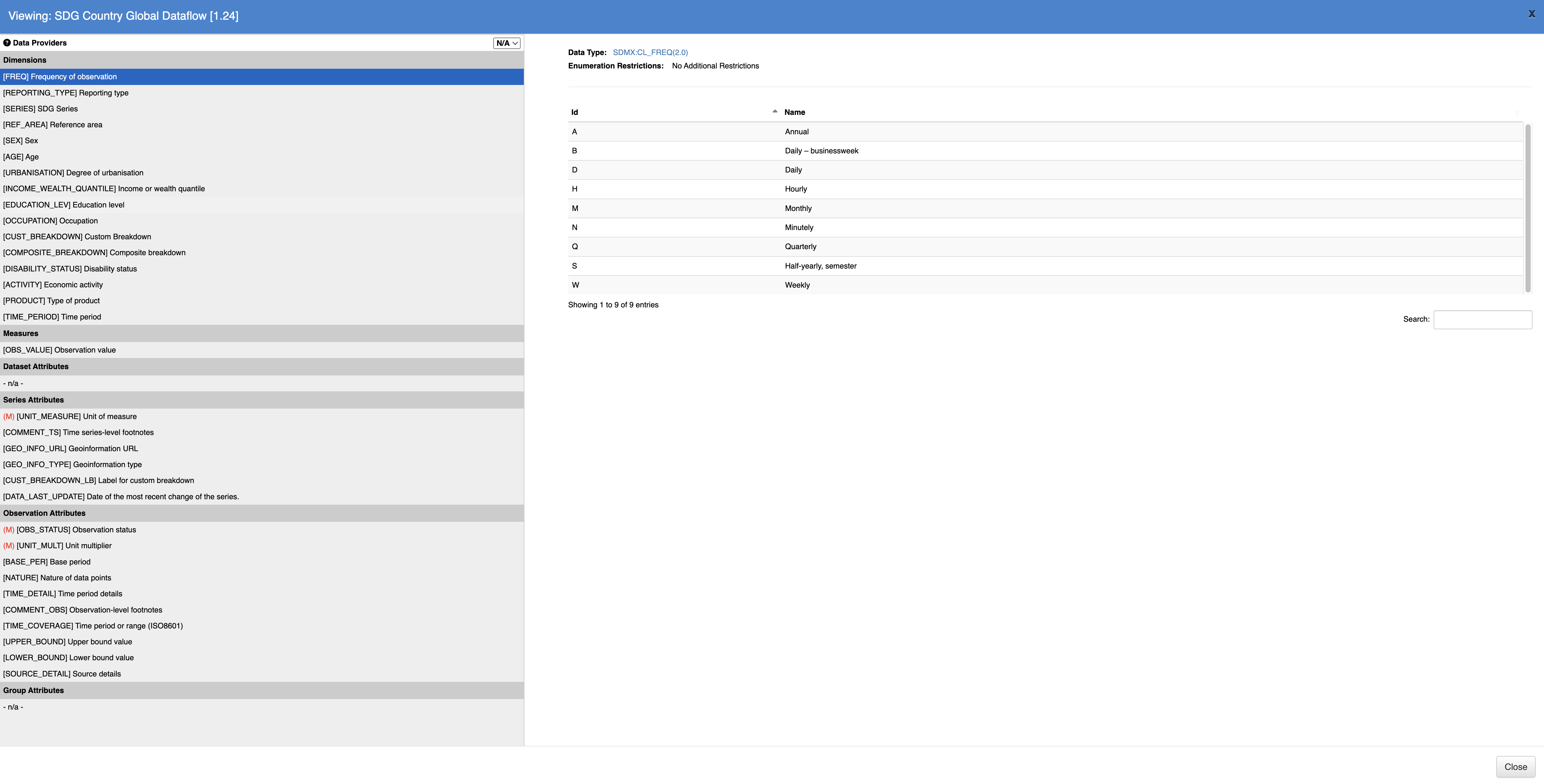
Click on the View [structure] button in the action bar to view additional information for the selected structure.