HTTP Settings
Overview
The settings page "HTTP Request" is available to logged-in users and is only relevant if using the Registry to obtain data from an external location, such as when data has been registered via a URL with the Registry.
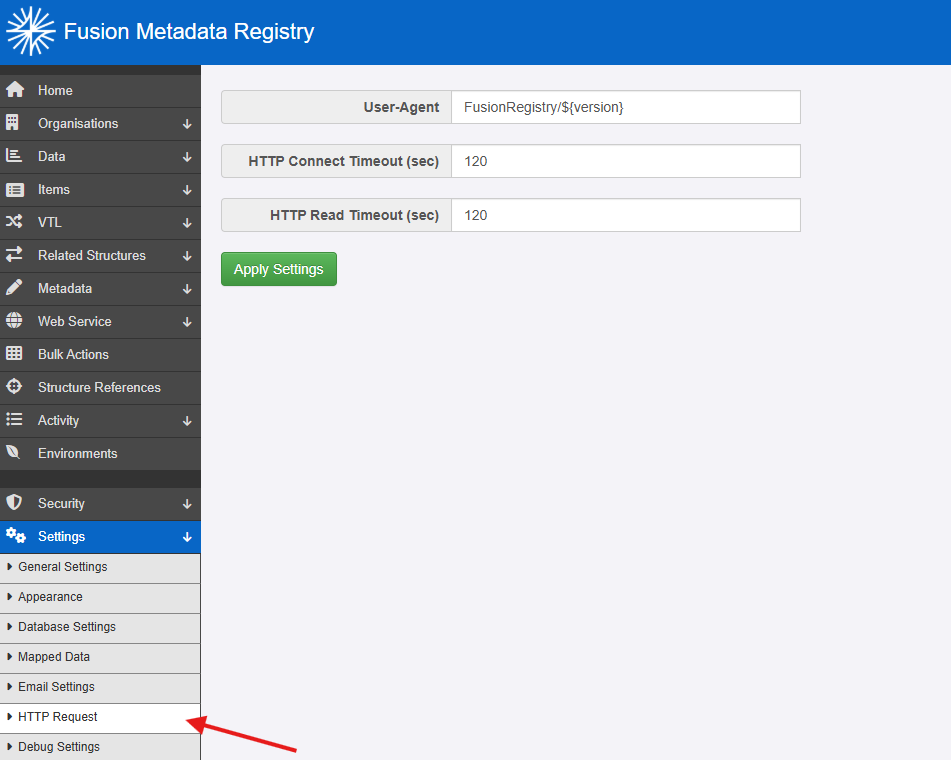
It allows the setting of 3 values:
- The User Agent that the Registry will use when obtaining data.
- The HTTP Connect timeout - the timeout value (in seconds) of the Registry in making the initial connection to an endpoint.
- The HTTP Read timeout - the timeout value (in seconds) of the Registry, once the initial connection has been made, to obtain the data.
User Agent
Any connection that the Registry makes to another external system to obtain data, will involve the Registry sending the User Agent as part of the TCP connection Header. It is possible that some systems, in order to prevent from attack by malicious software, will only accept a connection where the User Agent value is set to a specific value.
The default value is that the Registry will send FusionRegistry/
The User Agent value may be changed to whatever you want. The only special value is that ${version} will be converted into the Registry's version number.