Validate Data
Overview
To Validate data you need to have the following in place.
Data Provider
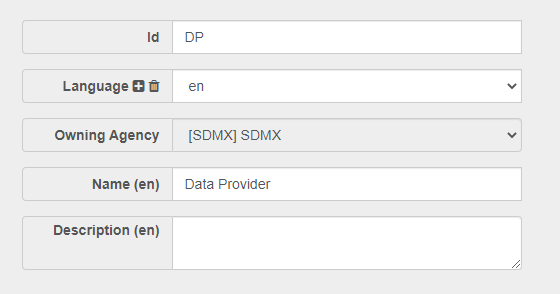
A Data Provider is an Organisation Type. When a Provision Agreement is created a Dataflowand a Data Provider must be selected. An example Data Provider is shown below.
Provision Agreement
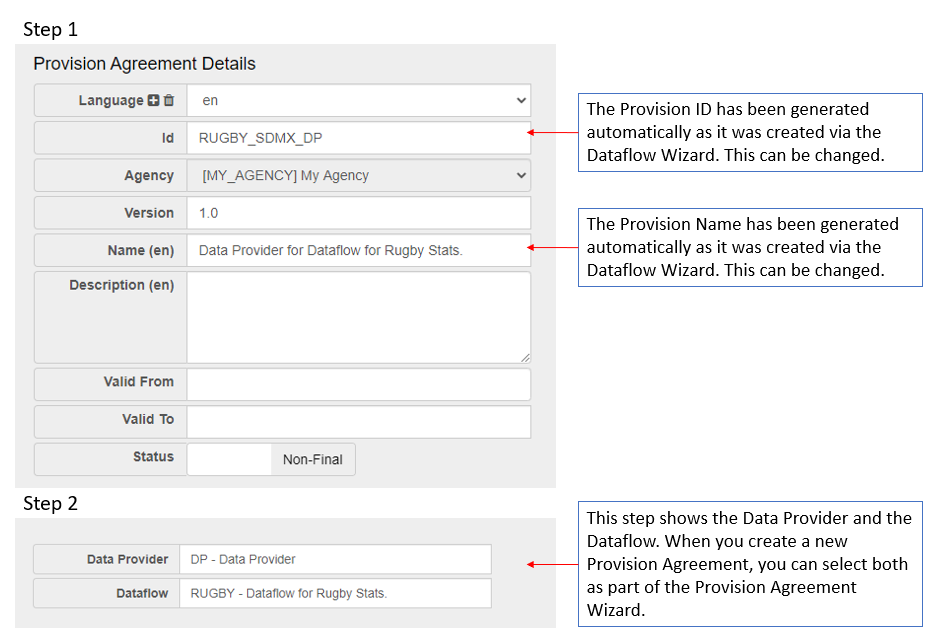
A Provision Agreement (PA)is the union of a Dataflow with a Data Provider. A PA is a definition that the Data Provider can provide data for the Dataflow. Data is always reported by a Data Provider against the PA. You can read more about Provision Agreements in this article. An example Provision Agreement is shown below.
Dataflow
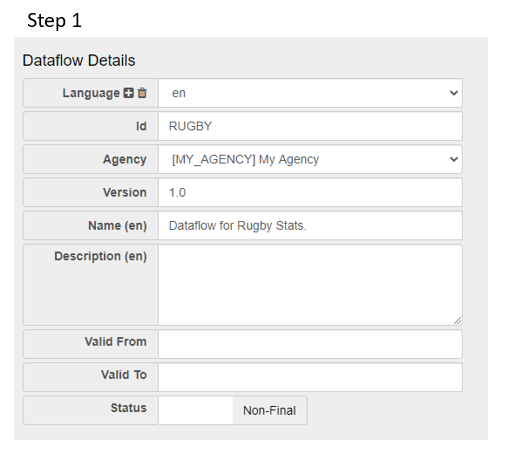
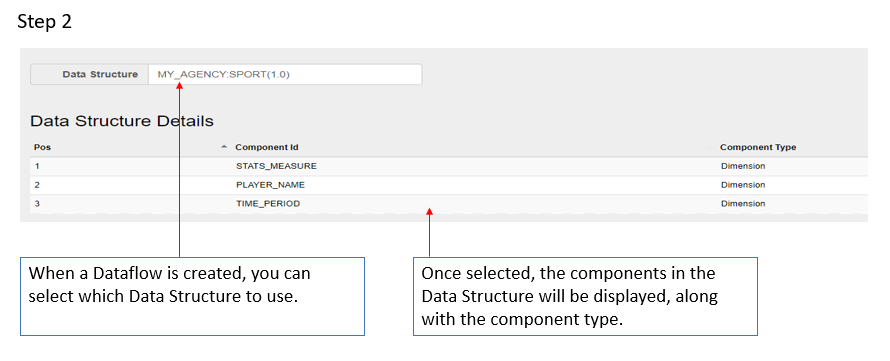
A Dataflow is a structure on which data is collected and disseminated. A Dataflow references a Data Structure Definition (DSD) which is used as the underlying template to which the data must conform. You can read more about Dataflows in this article. An example Dataflow is shown below.
Load Data
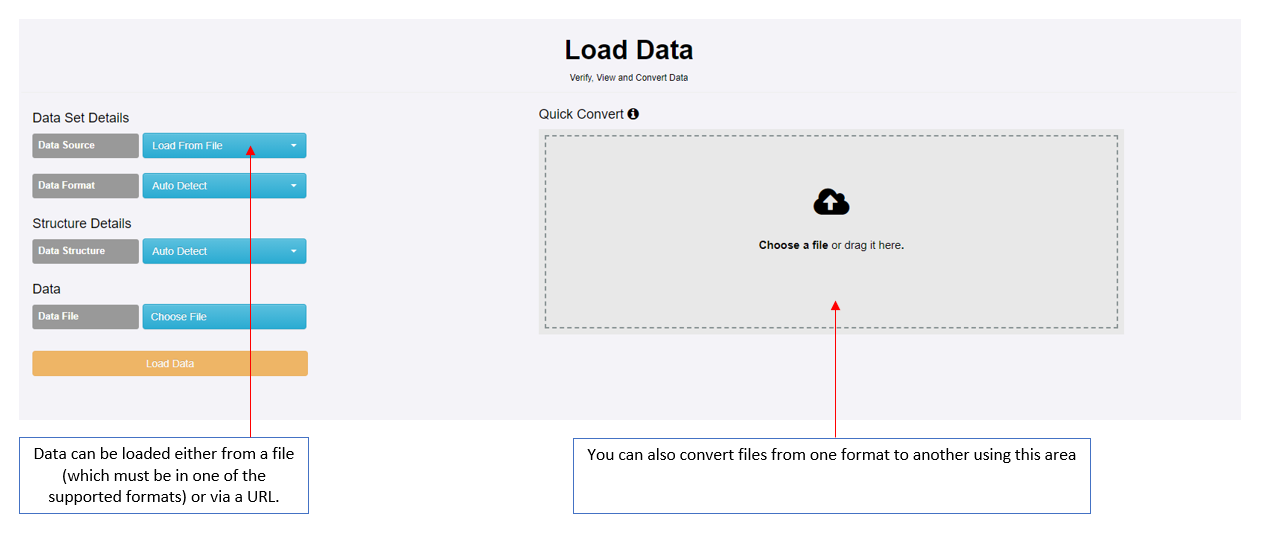
Once all the elements are in place as described above, the next step is to load the data which is done via the Convert option on the Data Menu.
Data can be loaded from a file of via a URL (for example from the SDMX Global Registry site).
To successfully validate, the data must adhere to the SDMX standard in terms of format as well as what has been defined in the Data Structure.
You can read more about Data Structures in this article.
You can read more about how to create a simple Data Structures in this article.
Supported formats:
- SDMX-ML (3.0, 2.1 , 2.0 and 1.0)
- EDI
- SDMX-JSON
- SDMX-CSV
- XLS / XLSX
Unsupported formats:
- Any other CSV format (Fusion CSV, Time Series CSV)
- RDF, Turtle, etc.
Validate Data
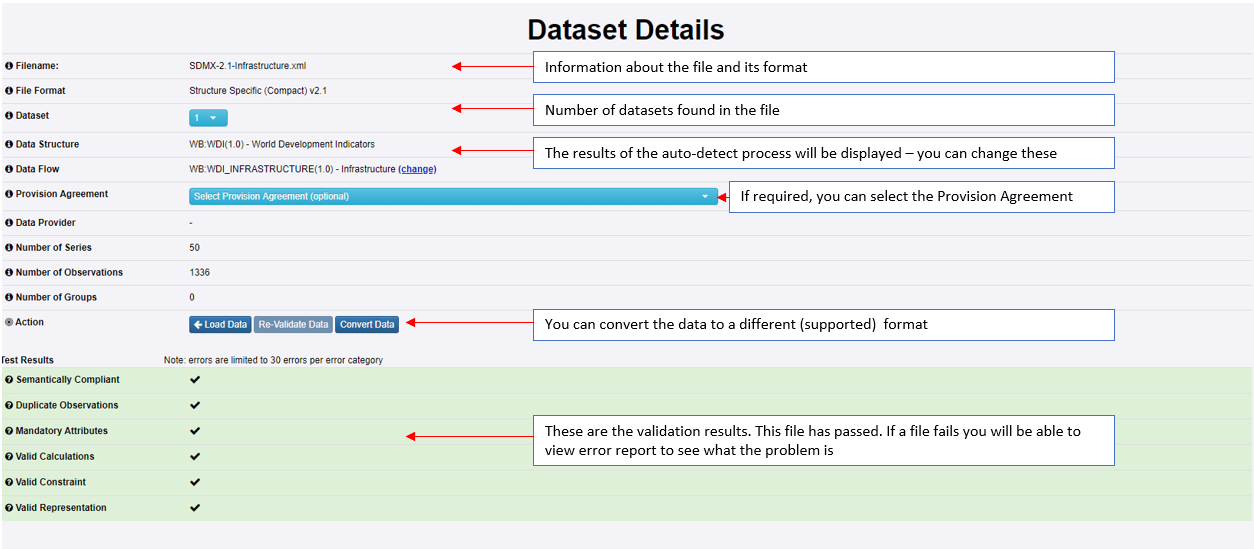
Click Load Data to start the validation process as explained in the image below.