FusionXL Create Dataset
Overview
The FusonXL Create Data Set feature generates a template for a dataset in FMR's FusionXL data transmission format.
The main use case is to simplify the data reporting process for data providers.
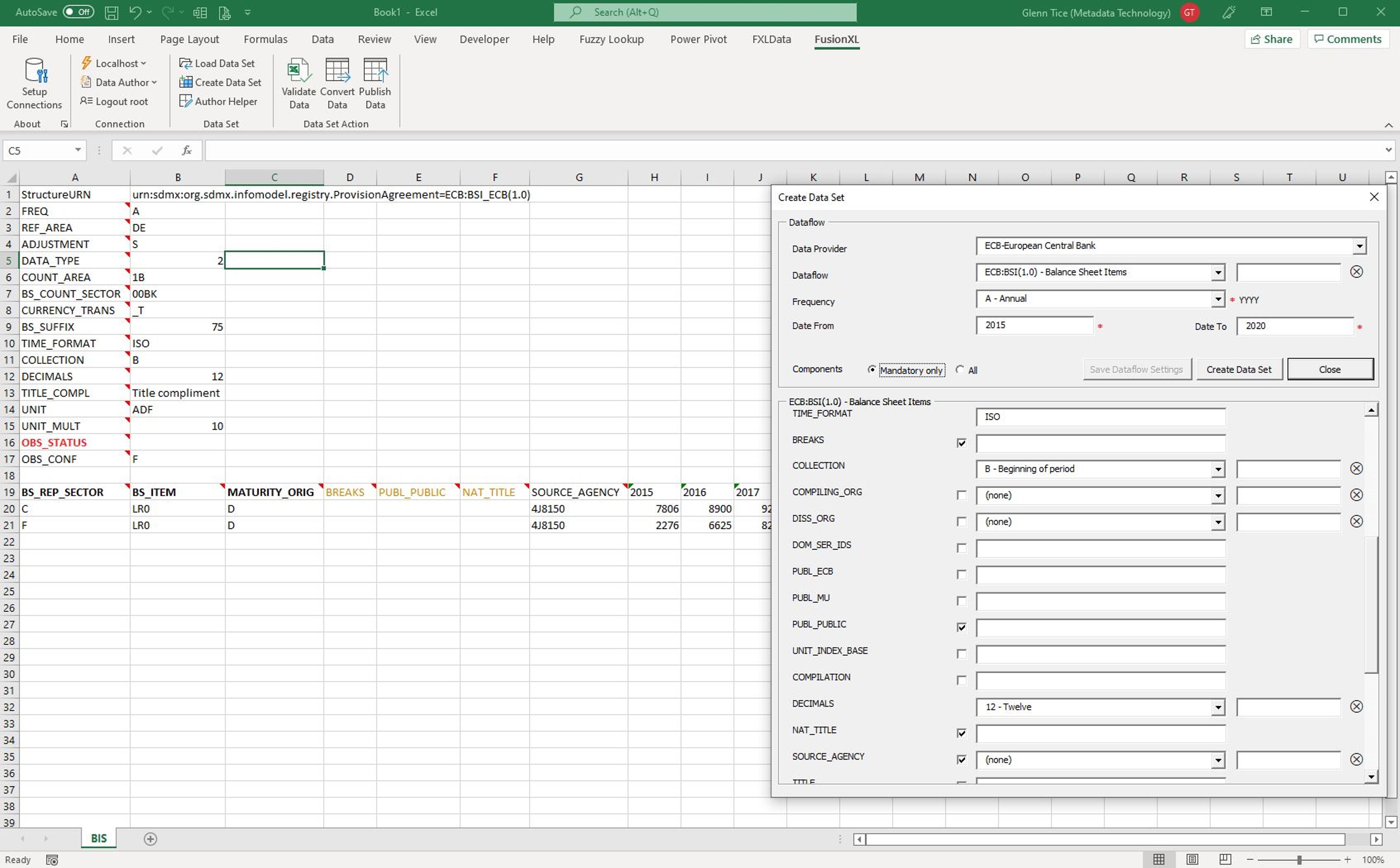
The reporting process is simplified by:
- Defining the reporting period and frequency which automatically generates an Excel form with the correct observation time periods
- Optionally setting fixed values for Dimensions and Series Attributes where the value is the same for all series being reported
- Optionally setting default values for Observation Attributes which apply to all observations unless overridden for specific observations
- Choosing which non-mandatory attributes to report
Required:
- FusionXL 2.6.0 or later
- FMR 11 or later
Get started
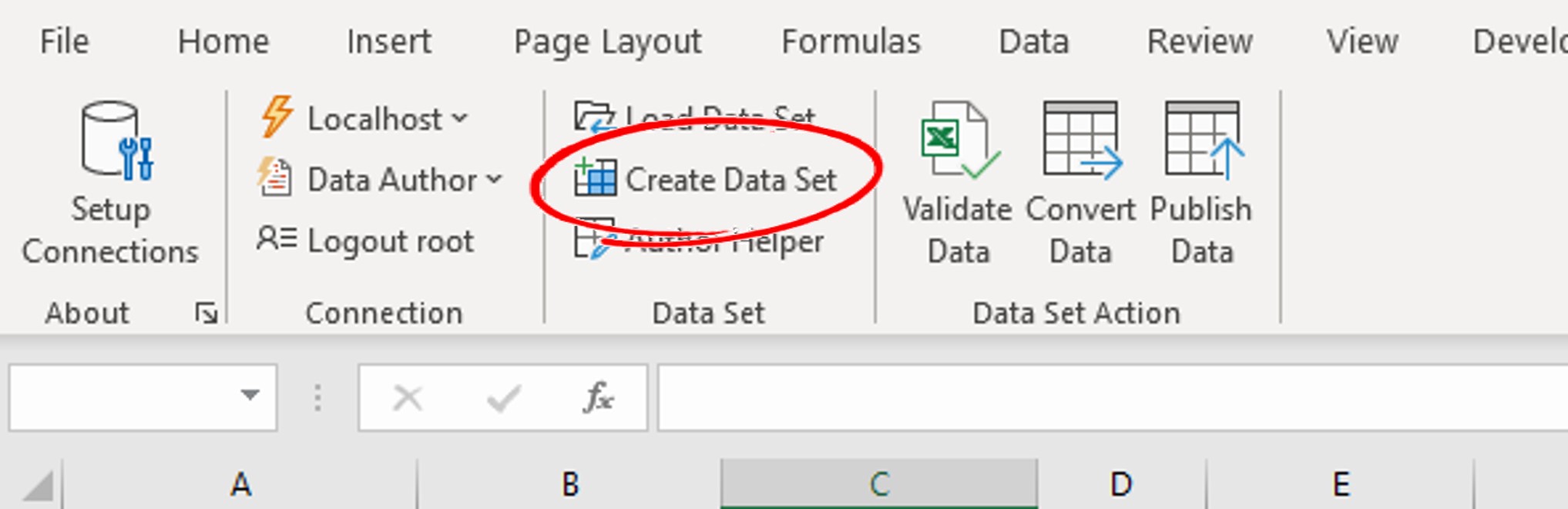
From the FusionXL ribbon bar
- Log in as a user with Data Provider privileges
- Choose Data Author under the Connection group
- Choose Create Data Set
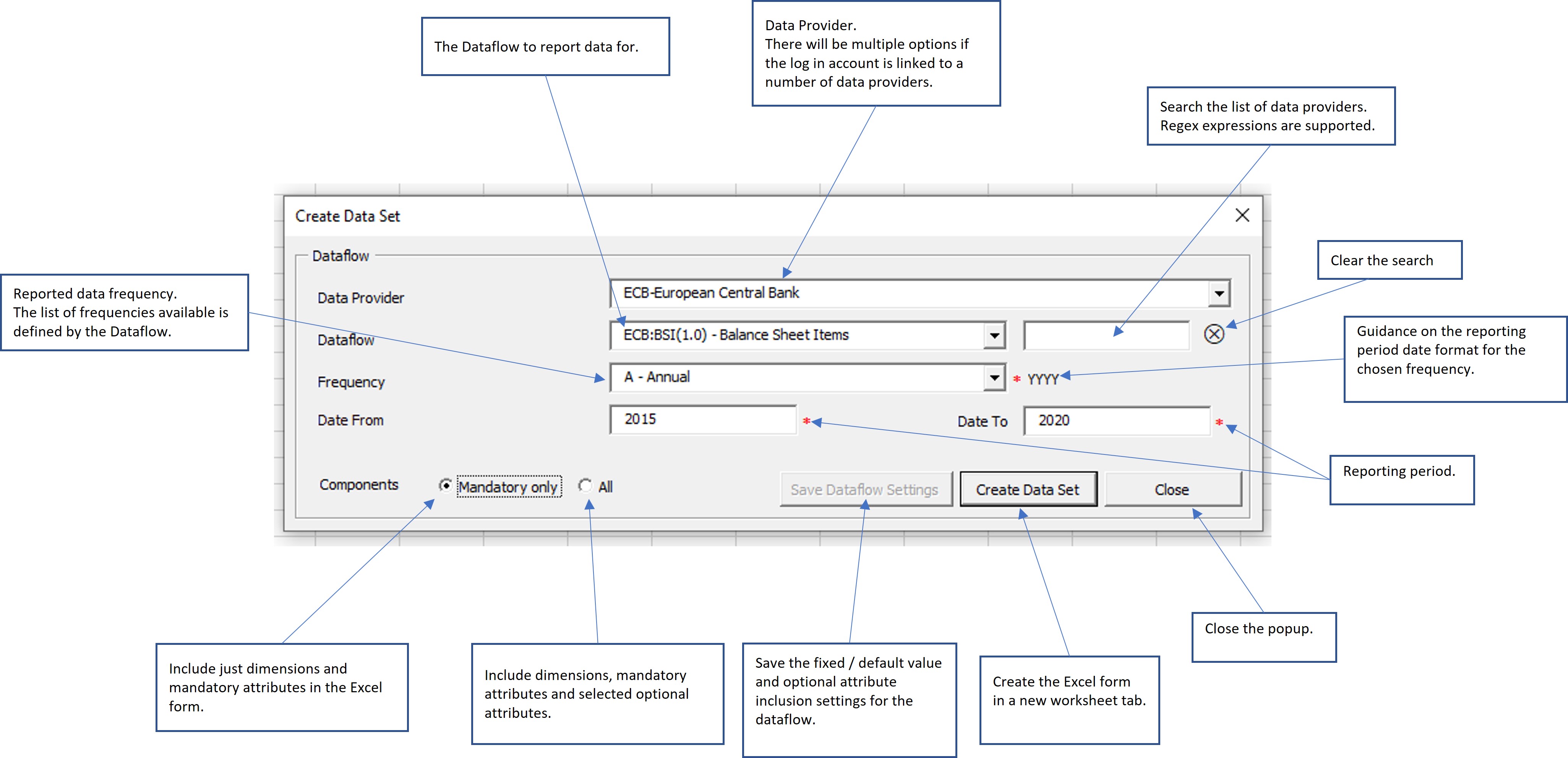
Dataflow
Choose the Dataflow to report data for.
Set the frequency and reporting period.
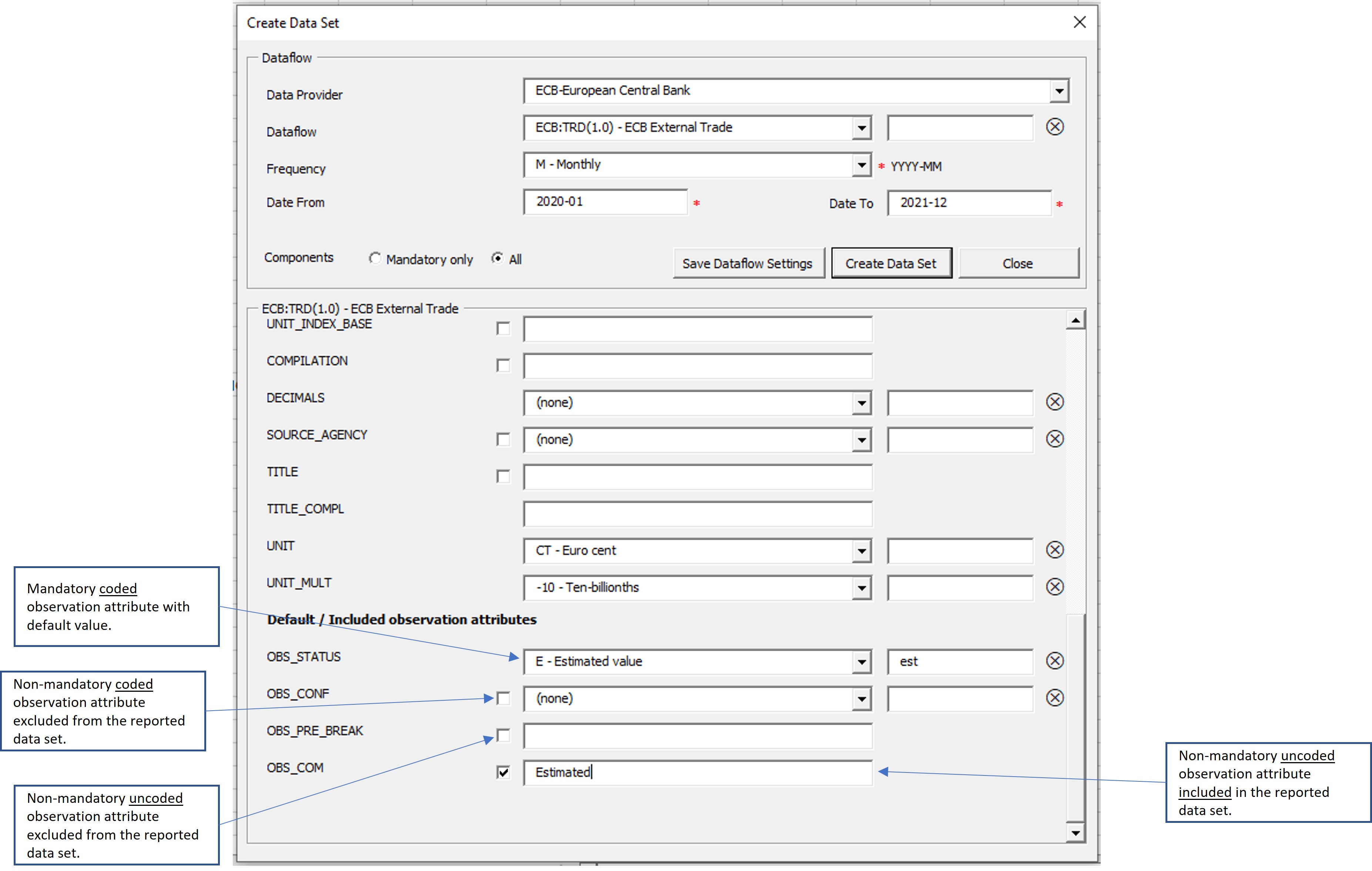
Detailed component settings
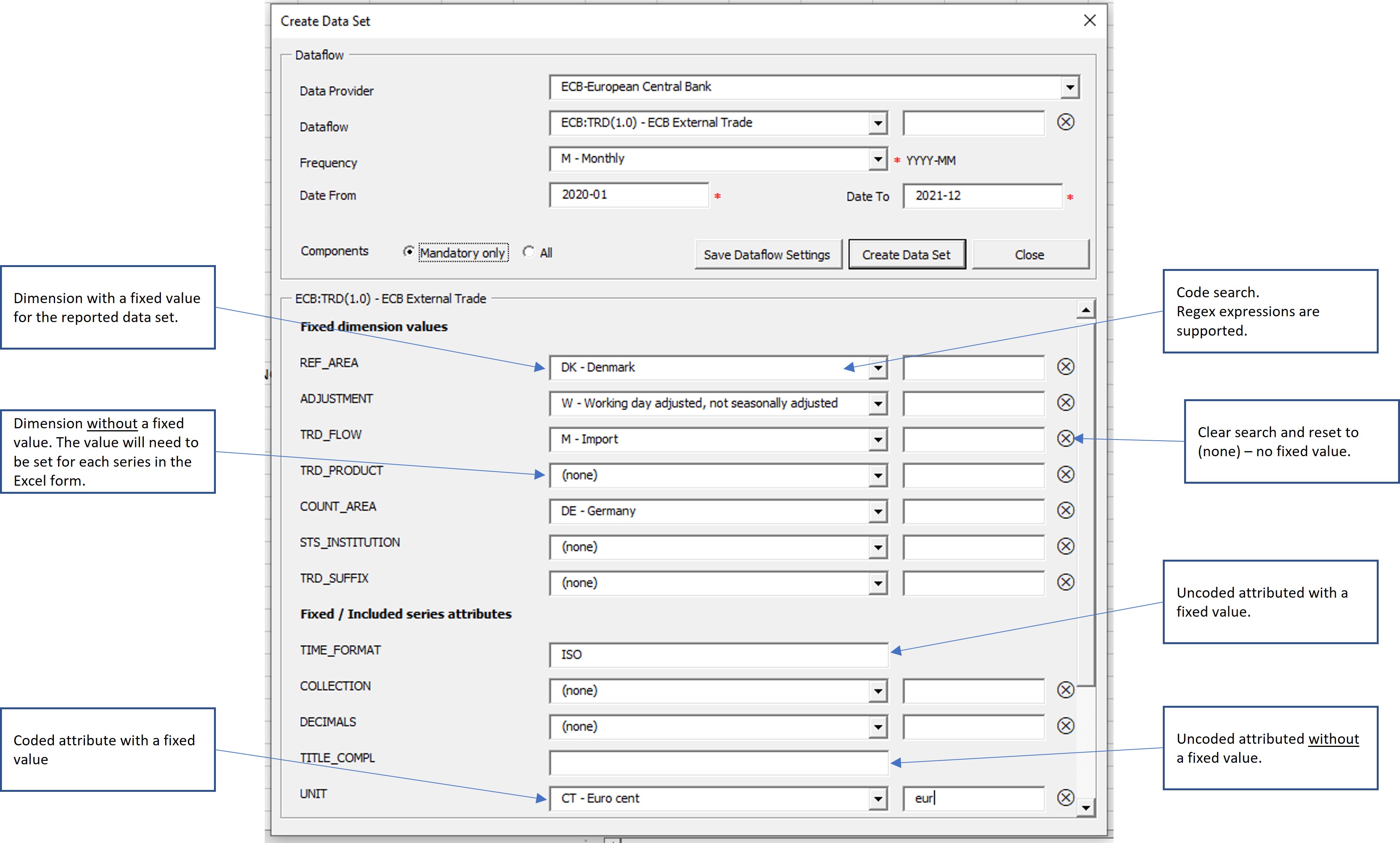
Set which components to include in the data set and the values they take.
- Fix values for dimensions
- Fix values for coded and uncoded series attributes
- Set default values for observation attributes - these take effect for all observations for which a specific value has not been set
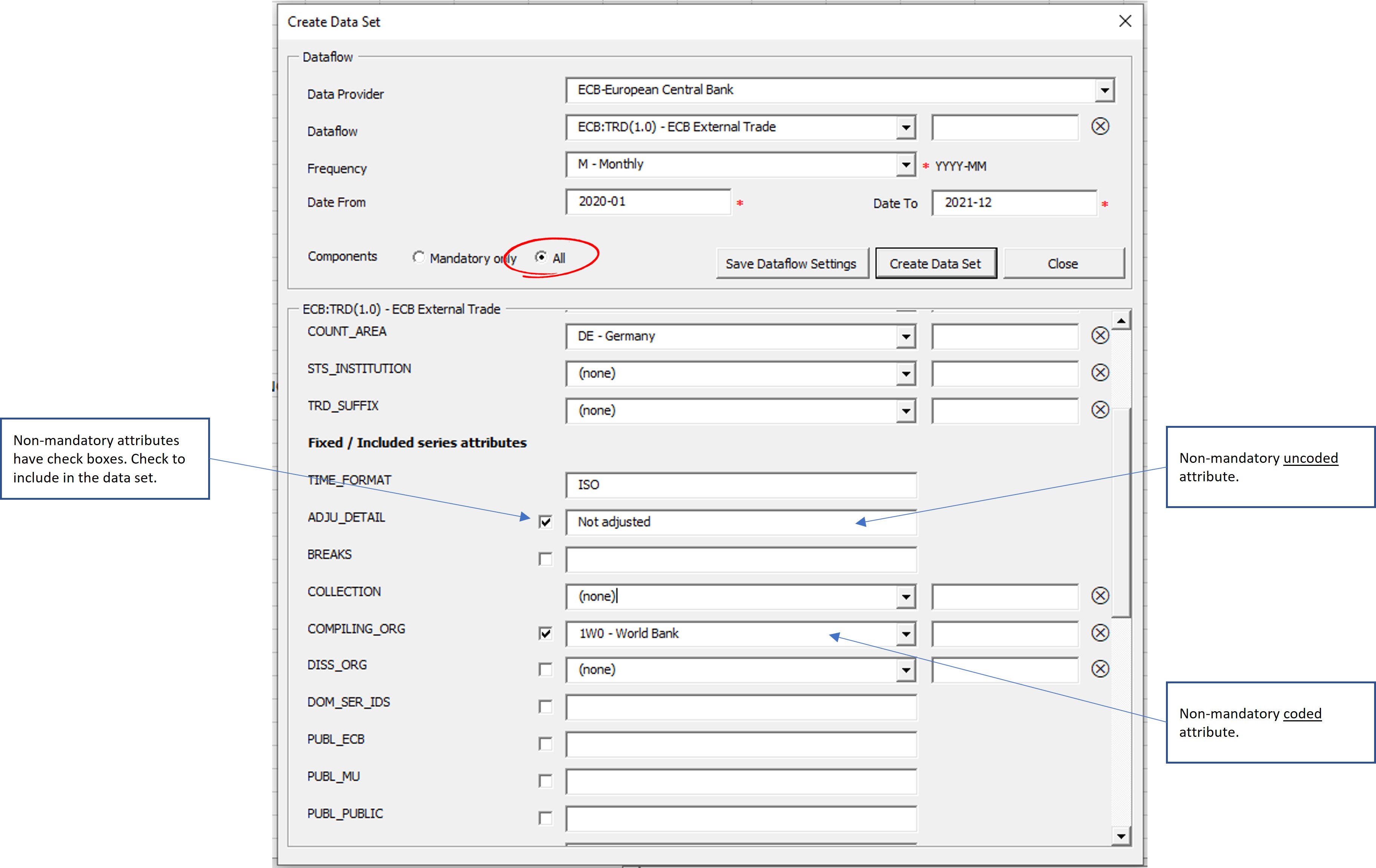
- Choose which non-mandatory attributes to include
Fix values for dimensions and series attributes
Set to (none) or blank to remove the fixed value.
Choose which non-mandatory attributes to include
Non-mandatory attributes have a checkbox to indicate whether they should be included in the dataset.
Set default values for observation attributes