Edit Structure
To edit a structure, you must be logged in as a user with either Admin or Agency permissions.
Navigate to the structure type using the left hand menu, for example to create a new Codelist, click on the Items menu followed by the Codelist Submenu.
If logged in, the page will show a Cogs icon on the top left of the Codelist table. This menu button contains actions that can only be performed by Admin or Agency users, such as the creation and deletion of structures.
Click on the Edit [structure] button.

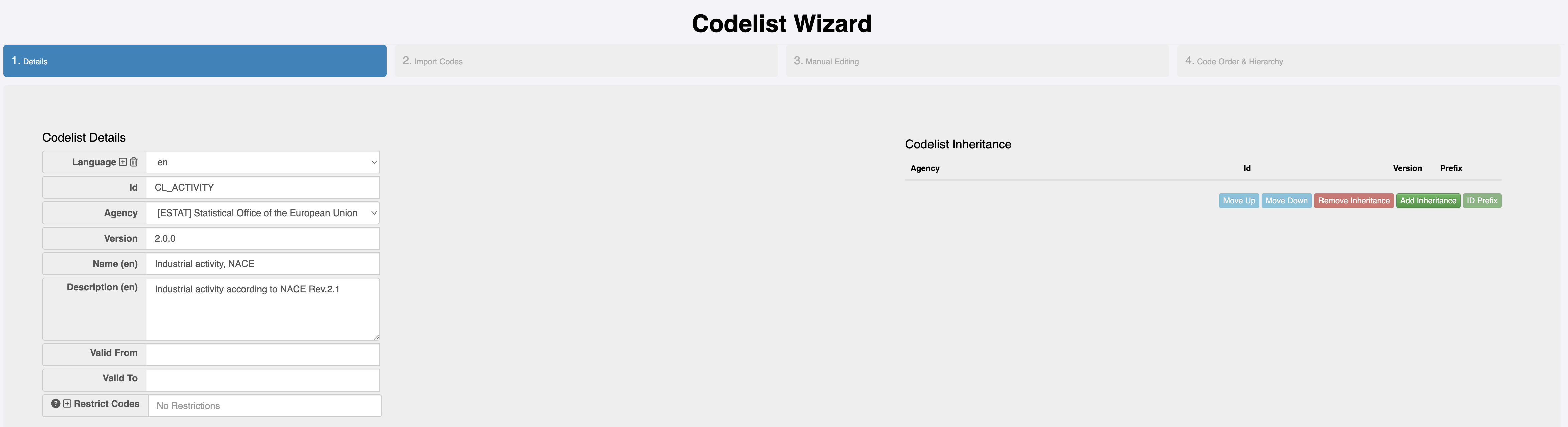
The FMR will open up a 3 or 4 step wizard, depending on the structure type. The wizard will be pre-populated with the details from the structure that is being edited.
Semantic Versioning
If the structure is a semantically versioned production structure (not a draft version), then the structure being edited is immutable; it can not be modified without a change in version number. The version can be modified on step 1 of the wizard, however it can also be left unchanged, and the FMR will provide a new version option on save by analysing the changes against the semantic versioning guidelines.
Saving Changes
Click on the Finish button to save the modified structure to the FMR database.